

How I speed up my website response time by 50% for free (Cloudfare)

How I speed up my website response time by 50% for free (Cloudfare)
Hi, I am Saurabh Jadhav,
I run and manage the site SimplifyMindfulness with intention of providing Mindful blogs and resources for everyone who is struggling in this crazy world. Its my dream to create better mental health for each and everyone around the world.
SimplifyMinfulness is my small step for achieving this dream. But the common problem server response time will stop me from achieving my dream? even for me I used to visit my website the webpages were slow to load then I did many changes to website tried to remove heavy themes and images, but for server init time it doesnt helped me.
I heard about Cloudfare, for people doesnt know what cloudfare is , Cloudfare is one of the biggest networks operating on the Internet. People use Cloudflare services for the purposes of increasing the security and performance of their web sites and services.

I instantly done research about it I didnt understand How it can helped me. But After understanding How it works it makes some sense.
Some Information About it, will make you understand more.
How CloudFlare works:
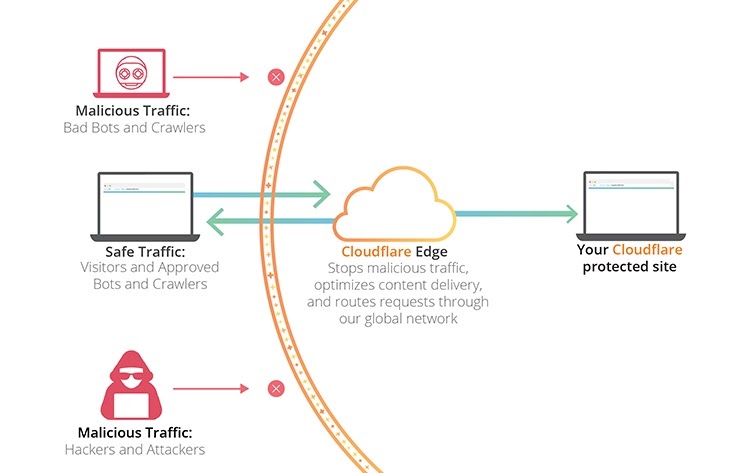
The heart of Cloudflare lies in the massive network of servers it has. The network is spread across over 93 countries (That’s almost half the countries in the world) covering more than 200 locations. These act both as data cache servers and as a firewall on a massive scale.
When a visitor makes a request for your site, Cloudflare will send them cached data from the nearest location while communicating with your website at the same time. This often results in visitors starting to receive information much faster than if the request was made directly to your website.
At the same time, all data that’s being passed through Cloudflare servers is monitored. This way, they can block potential attacks, filter out bad actors (like bots), and anything else that helps keep your site safer.
Lets See My Speed Test Before using Cloudfare:
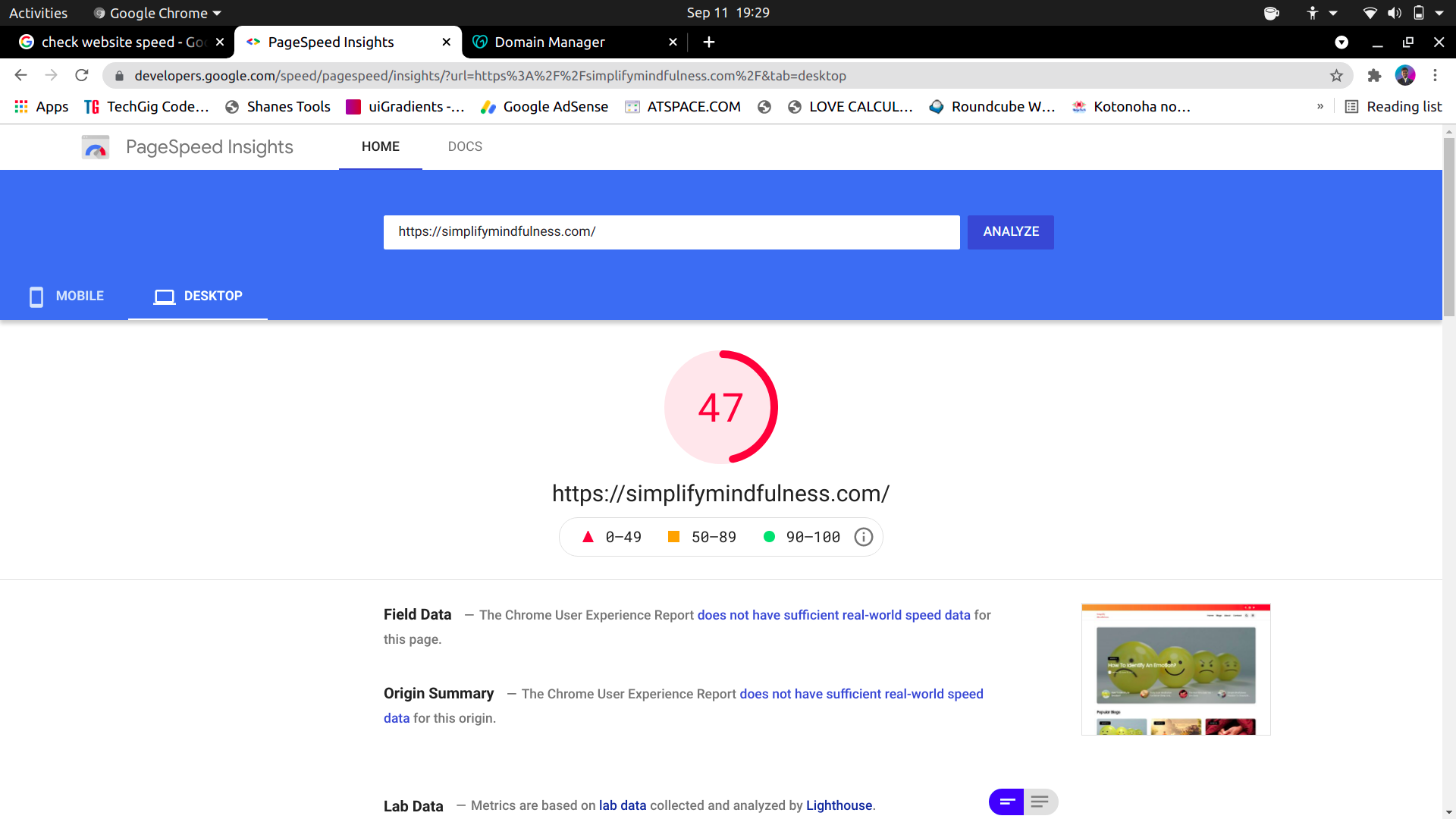
This response is taken from PageSpeed Insights Google's Site.
Check the below data now:
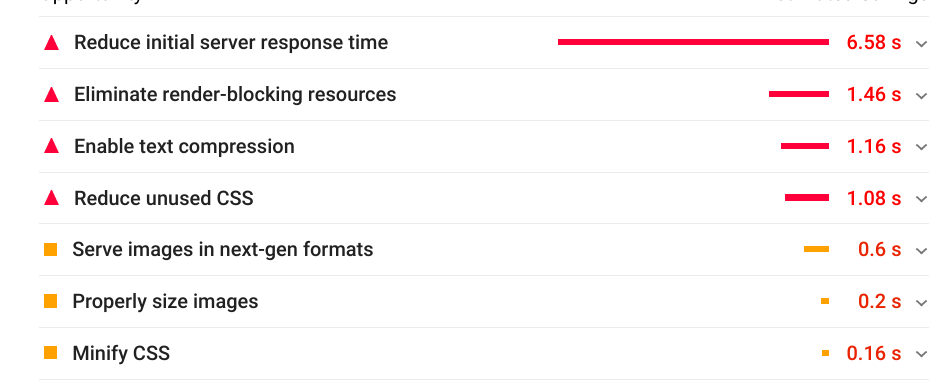
Check initial Server Response time above.
After this used Cloudflare
- I registered my cloudflare account
- Did setup for website
- and in Minutes it was ready
Now withought much talking lets see the Results
Lets See My Speed Test After using Cloudfare:
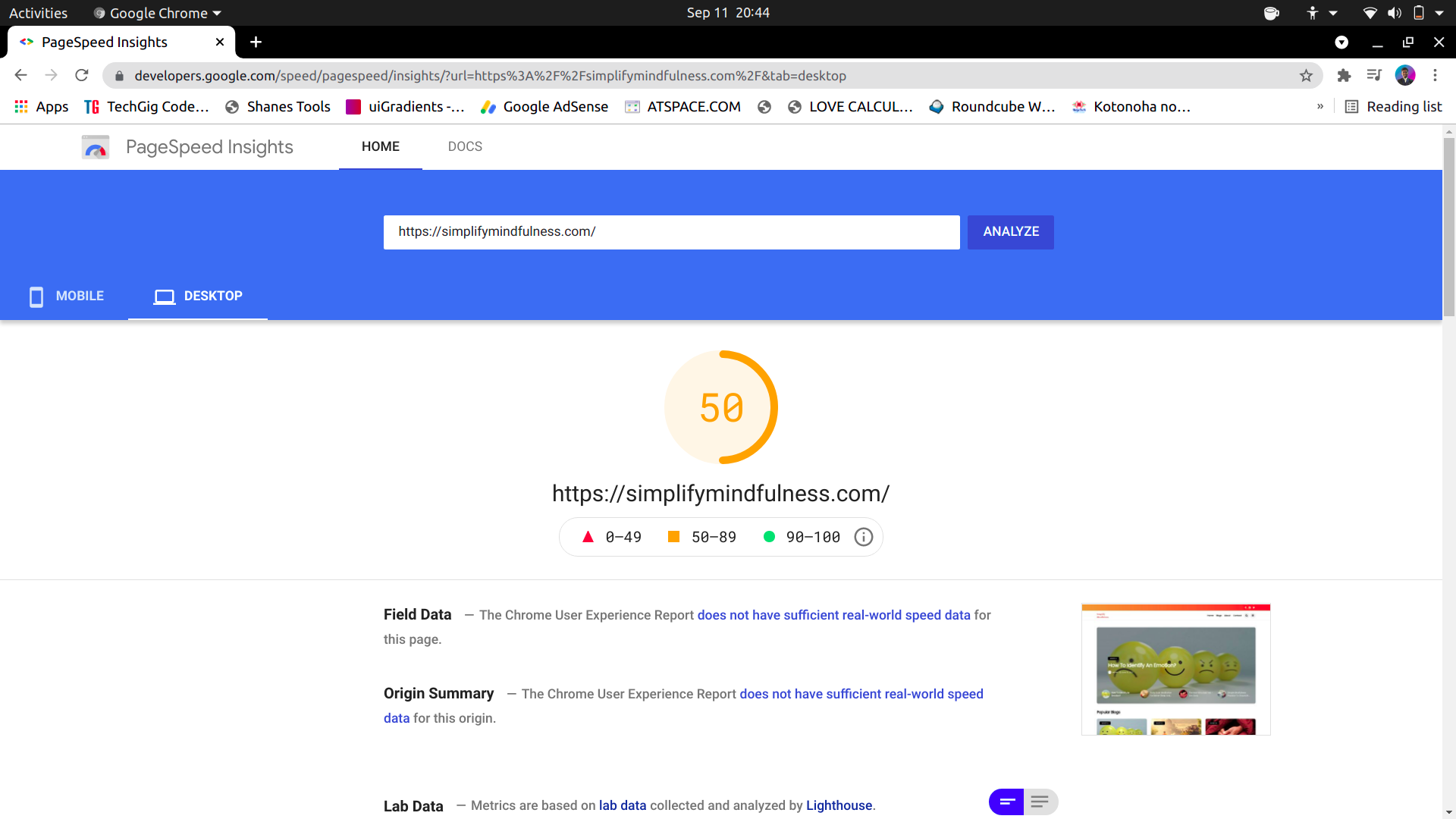
This response is taken from PageSpeed Insights Google's Site.
Check the below data now:
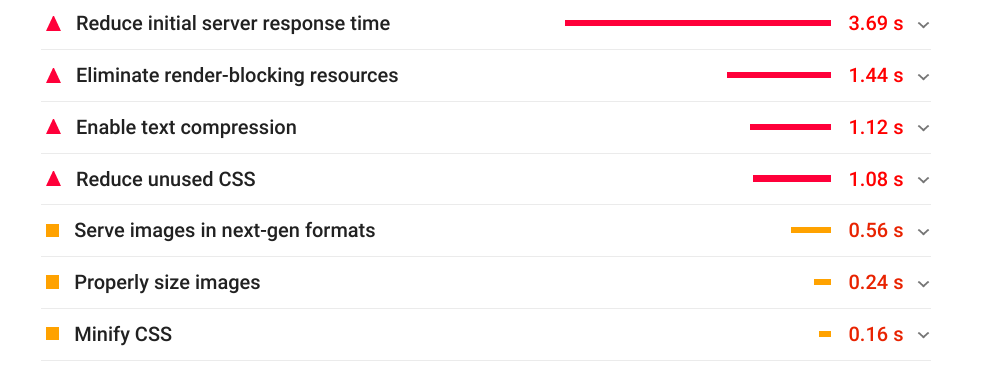
Check initial Server Response time above.
See how the speed is increased by 50%, the initial server response is very important for SEO and user experience too!
and it was all free, Free plan of Cloudflare is making my pages load faster.
Check The Detailed Response from Cloudflare site:
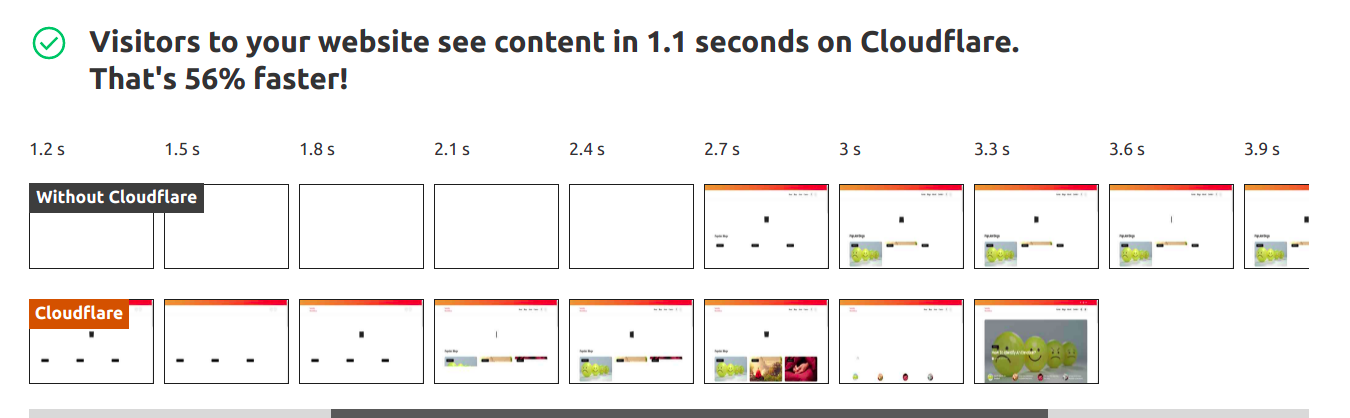
Here we can notice how user sees the webpage with each second the lower the better.
Even in My mobile when network coverage is low the webiste load way better than before. The Cloudflare setup is too easy to do although I will add blog too.